〇ncduコマンドの画面(Debian 10)

〇ncduコマンドの画面(Ubuntu 20.04)

〇ncduコマンドの画面(Raspbian Buster)

インストール手順
以下のコマンドを実行してncduコマンドをインストールします。sudo apt-get -y install ncdu実行する場合はシェルからncduコマンドを実行します。
sudo apt-get -y install ncdu

sudo dnf -y install ncdu
sudo dnf -y install ncdu
wget https://github.com/muesli/duf/releases/download/v0.6.2/duf_0.6.2_linux_amd64.rpm

sudo dnf -y install ./duf_0.6.2_linux_amd64.rpm


wget https://github.com/muesli/duf/releases/download/v0.6.2/duf_0.6.2_linux_amd64.rpm

sudo dnf -y install ./duf_0.6.2_linux_amd64.rpm

sudo dnf -y install ncducurl --proto '=https' --tlsv1.2 -sSf https://sh.rustup.rs | sh1) Proceed with installation (default)
2) Customize installation
3) Cancel installationsource $HOME/.cargo/envcargo install du-dustdust


error: linker `cc` not foundsudo apt-get -y install gcc

wget https://github.com/muesli/duf/releases/download/v0.6.2/duf_0.6.2_linux_amd64.deb

sudo dpkg -i ./duf_0.6.2_linux_amd64.deb
curl --proto '=https' --tlsv1.2 -sSf https://sh.rustup.rs | sh1) Proceed with installation (default)
2) Customize installation
3) Cancel installationsource $HOME/.cargo/envcargo install du-dustdust

error: linker `cc` not foundsudo dnf -y install gcccurl --proto '=https' --tlsv1.2 -sSf https://sh.rustup.rs | sh1) Proceed with installation (default)
2) Customize installation
3) Cancel installationsource $HOME/.cargo/envcargo install du-dustdust
curl --proto '=https' --tlsv1.2 -sSf https://sh.rustup.rs | sh1) Proceed with installation (default)
2) Customize installation
3) Cancel installation
source $HOME/.cargo/envcargo install du-dustdust

wget https://github.com/muesli/duf/releases/download/v0.6.2/duf_0.6.2_linux_amd64.rpm

sudo dnf -y install ./duf_0.6.2_linux_amd64.rpm
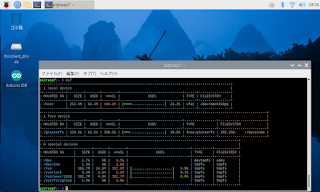
wget https://github.com/muesli/duf/releases/download/v0.6.2/duf_0.6.2_linux_armv7.deb

sudo dpkg -i ./duf_0.6.2_linux_armv7.deb

sudo apt-get -y install baobab
sudo apt-get -y install baobab
sudo apt-get -y install baobab